MODE 01Name only
On Cue
Speaks only when invited.
Keep group calls focused. Say your colleague’s name when you want it to contribute. In a one-to-one call, speak naturally.
More time. Nothing important missed.
Send Hi Boss with your brief and approved knowledge. It joins in your place, asks your questions, contributes within your boundaries and brings back the decisions and actions. When you join an important call yourself, Hi Boss keeps your resources at hand and helps in the moment.
Three ways to show up
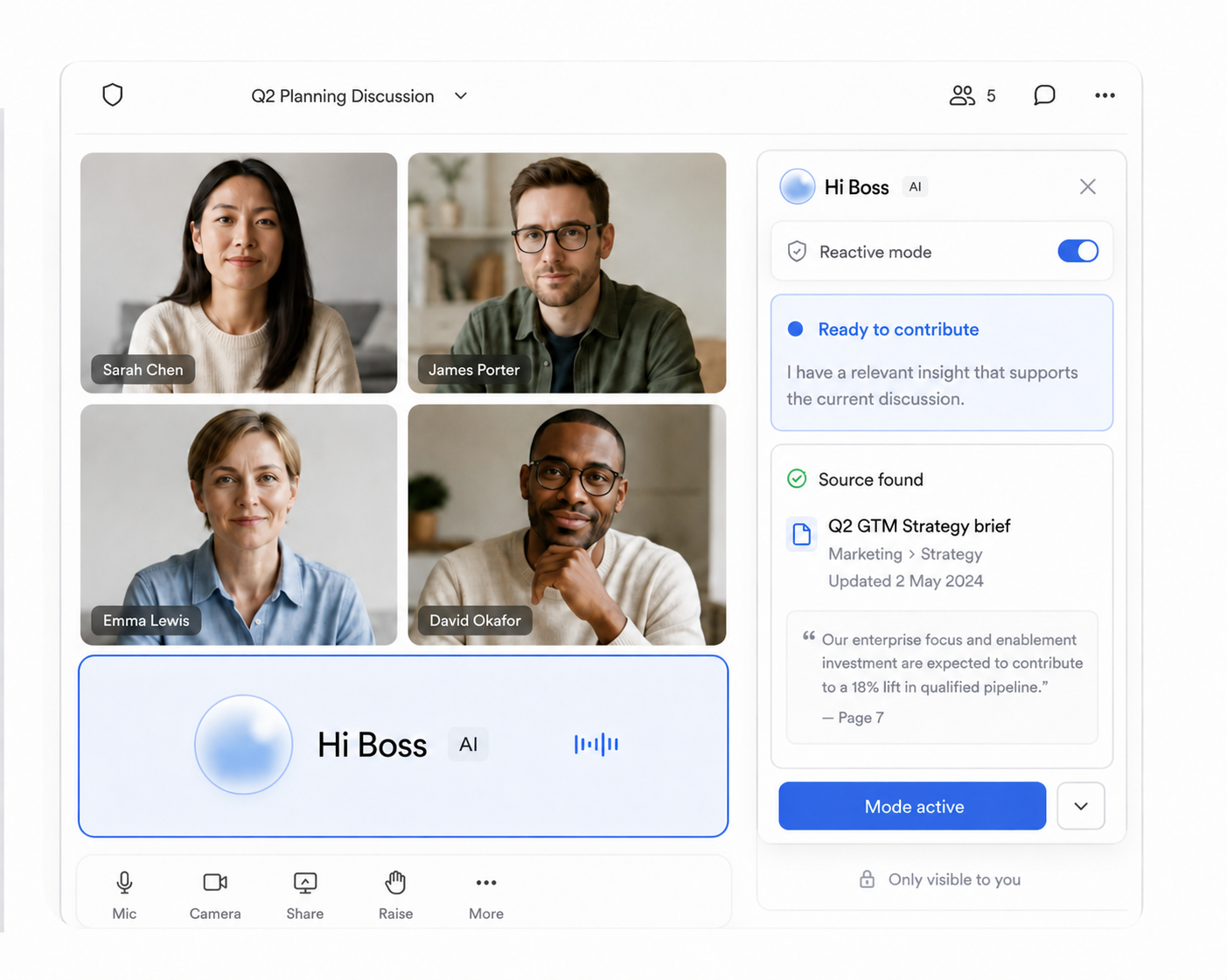
Use On Cue for precise answers, In Conversation for responsive support, or In the Room when Hi Boss should step in proactively. The same modes work whether it represents you or joins alongside you, and you can switch during a live call.
Speaks only when invited.
Keep group calls focused. Say your colleague’s name when you want it to contribute. In a one-to-one call, speak naturally.
Stays with the discussion.
Get answers as the conversation develops. It responds to questions and follow-ups directed to it, without needing its name each time.
Natural starting pointSteps in when it matters.
Catch a missed detail before it becomes follow-up work. It can offer a relevant correction, risk or useful idea within your boundaries.
More than meeting notes
Tell Hi Boss the outcome you need, the questions to ask and the boundaries to keep. In the meeting it listens, responds from approved sources and contributes when useful. Then it hands back the decisions, actions and important context.
 Answers · asks · contributes
From setup to meeting
Add its knowledge, set the boundaries, choose how actively it should contribute and select the meeting. You can adjust the mode and live controls whenever you are there too.
Choose the files and connected sources Hi Boss may use.
Define the subjects, boundaries and commitments it must respect.
Choose On Cue, In Conversation or In the Room for this call.
Pick a calendar event or paste a Google Meet link, then send Hi Boss.
Ready for the meeting
Hi Boss joins with the right knowledge, boundaries, participation mode and meeting-specific brief.
Made for busy teams

Ask the questions and add the project context you would bring.

Respond from approved client knowledge while you are elsewhere.

Clarify details and keep routine decisions moving.

Keep your priorities present when meetings compete for your time.
Your knowledge. Your boundaries.
Choose which sources Hi Boss can use in each meeting. Managed sign-in, account approval and encrypted Google credentials help keep access tied to your workspace.
Free beta access
Explore Hi Boss with a free meeting allowance. No card is required to start, and we will make future pricing clear before any paid usage begins.
Start freeFree beta access
Meeting time included
We will show pricing and ask for your approval before any paid usage becomes available.
Contact us
Start free, with meeting time included and no credit card required. Have a question about your team’s setup or knowledge sources? Tell us what you need.